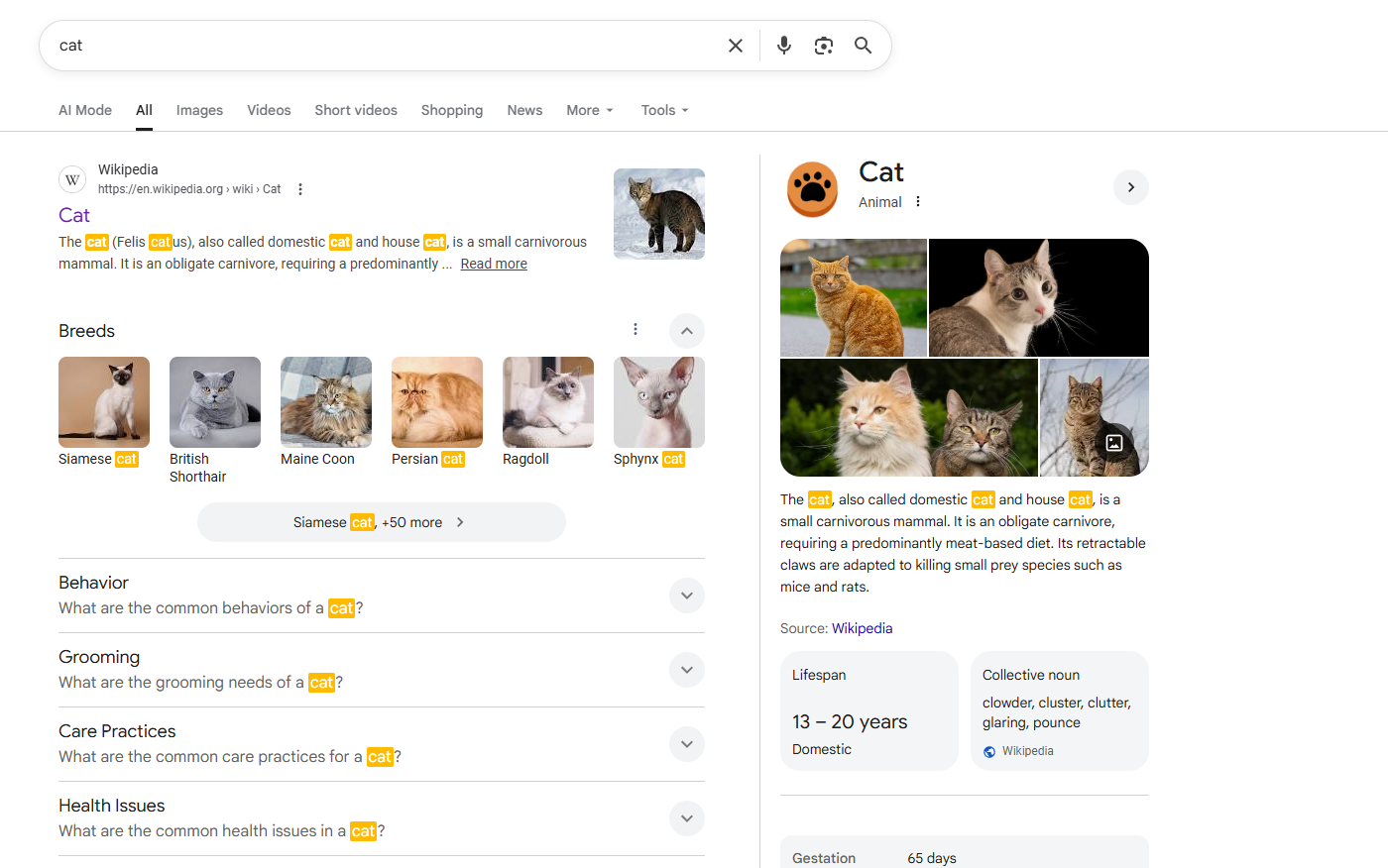
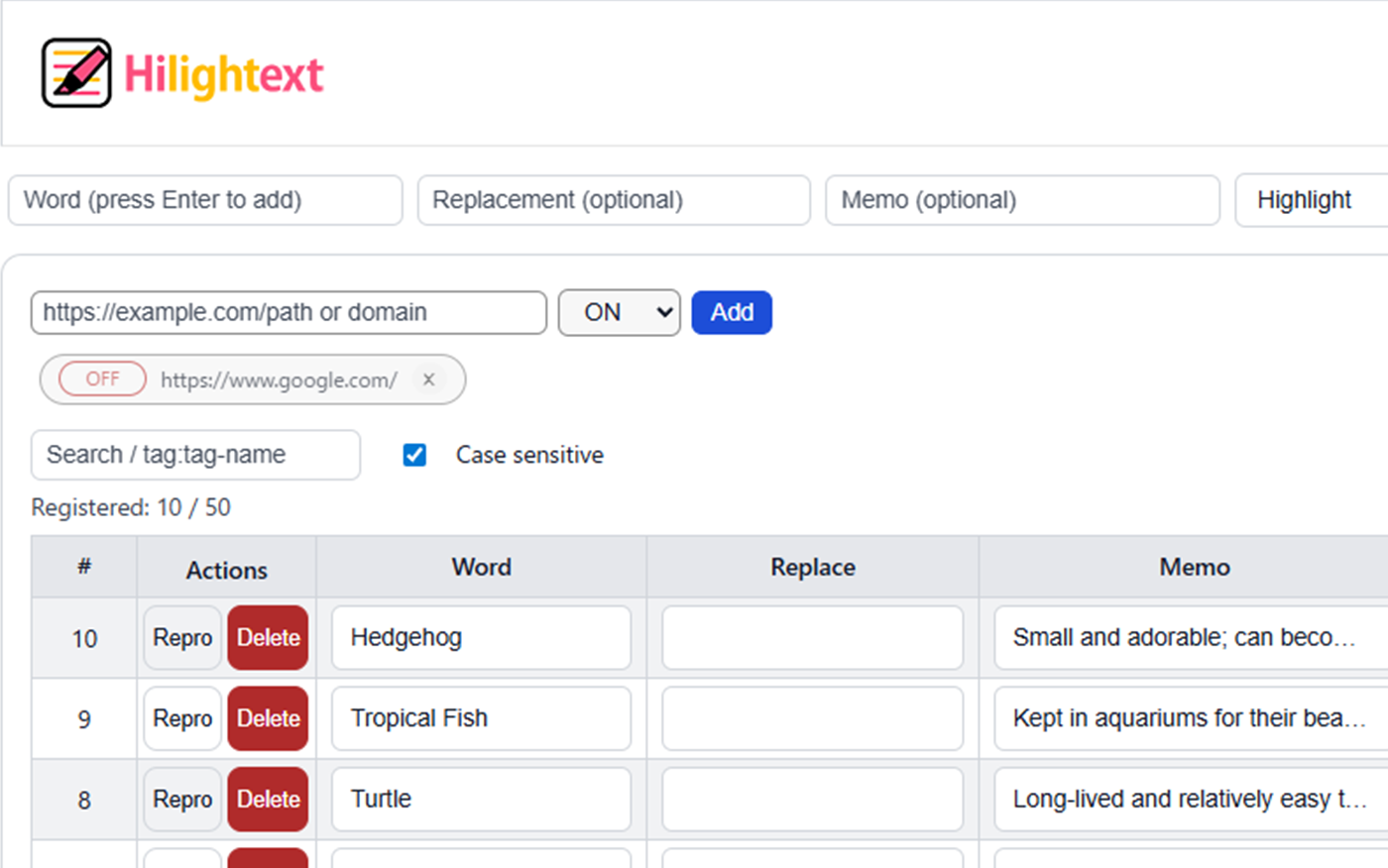
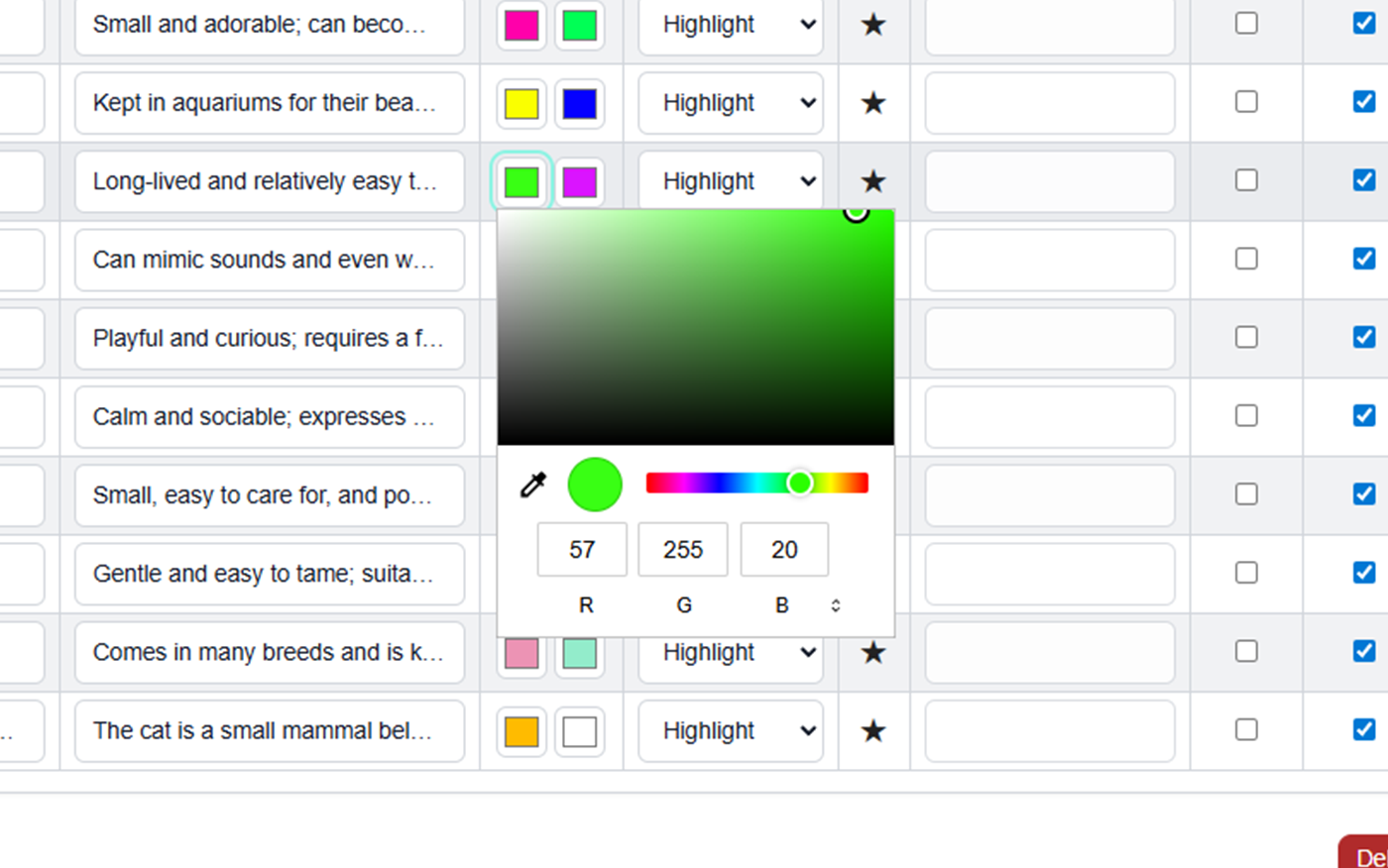
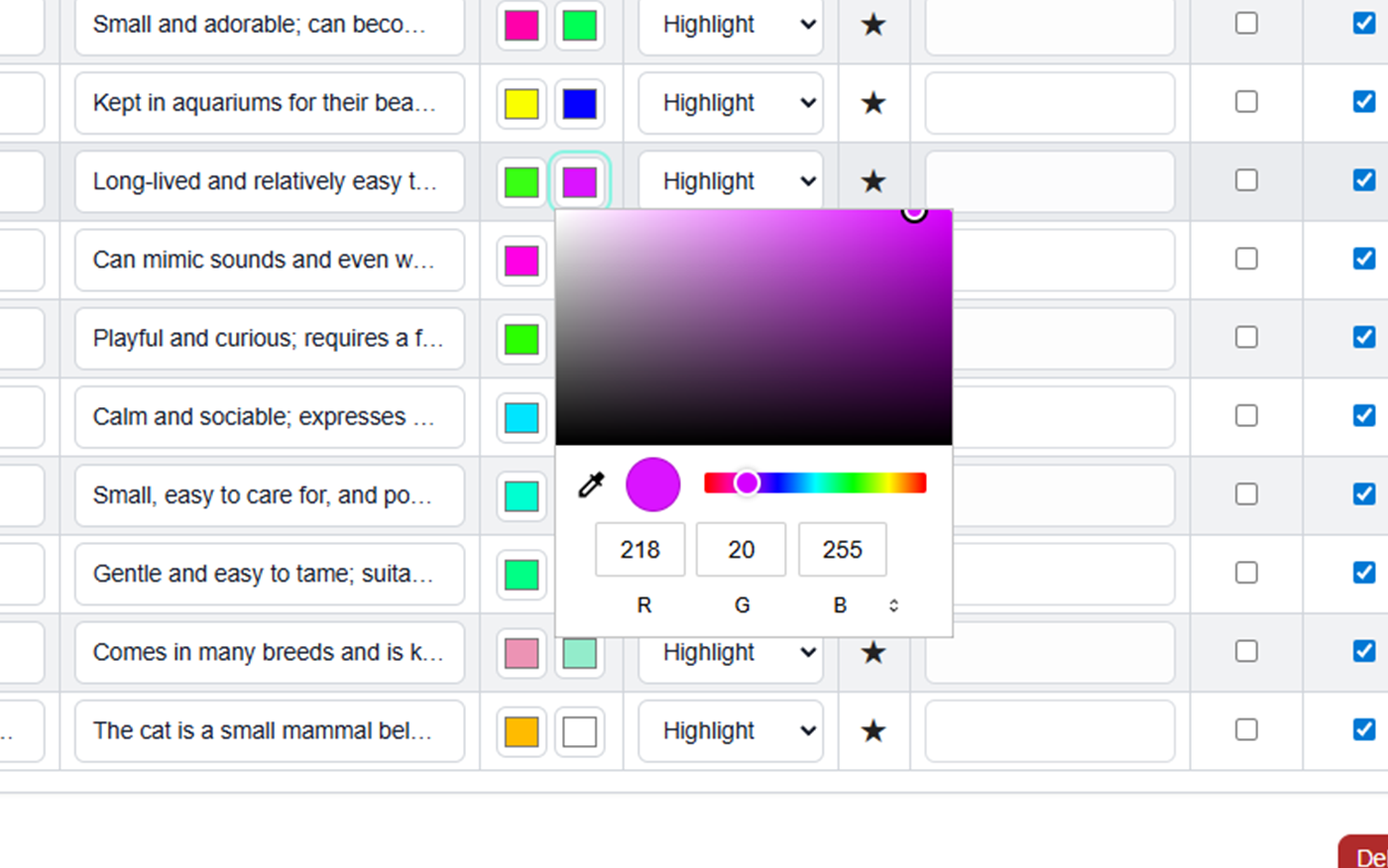
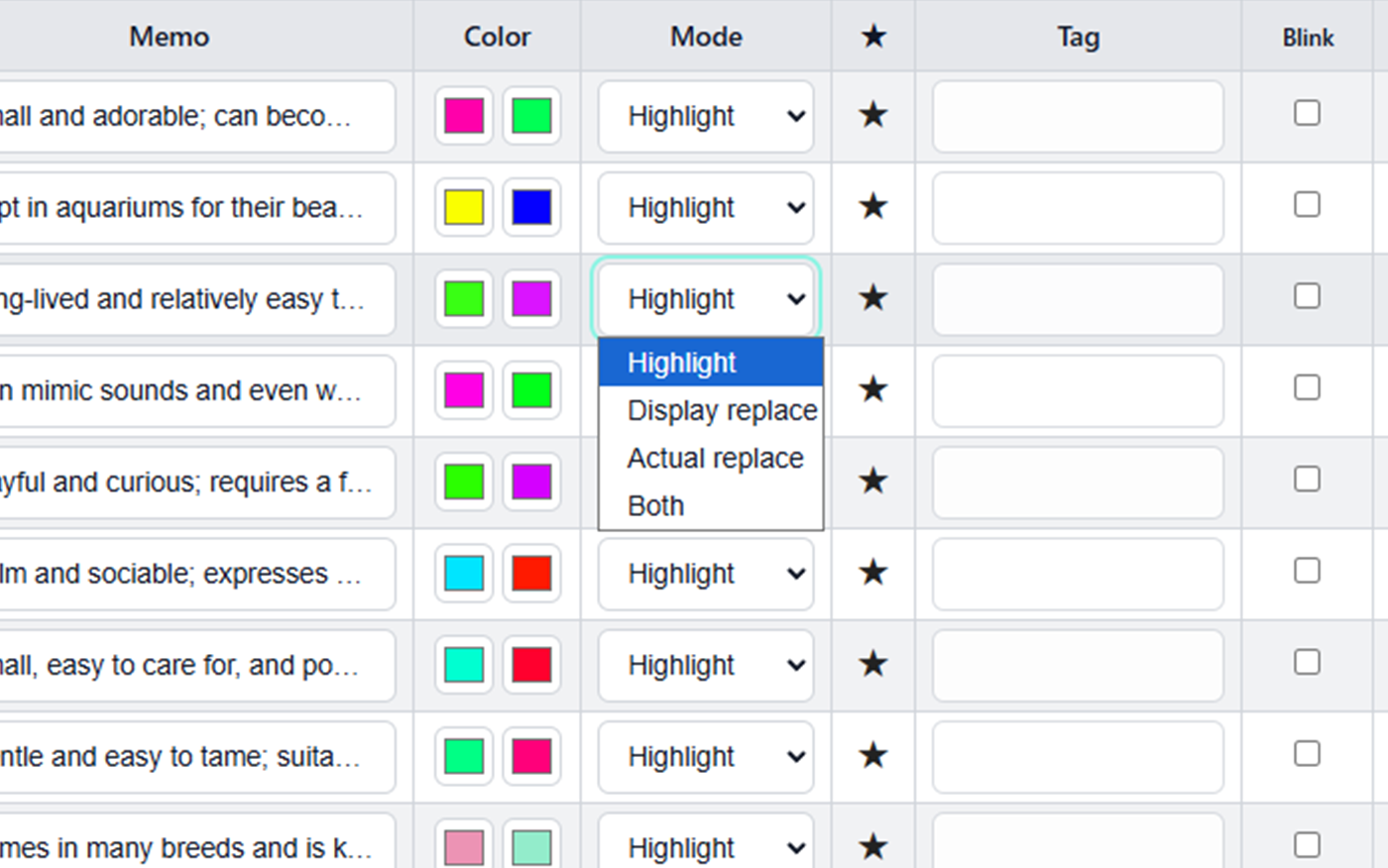
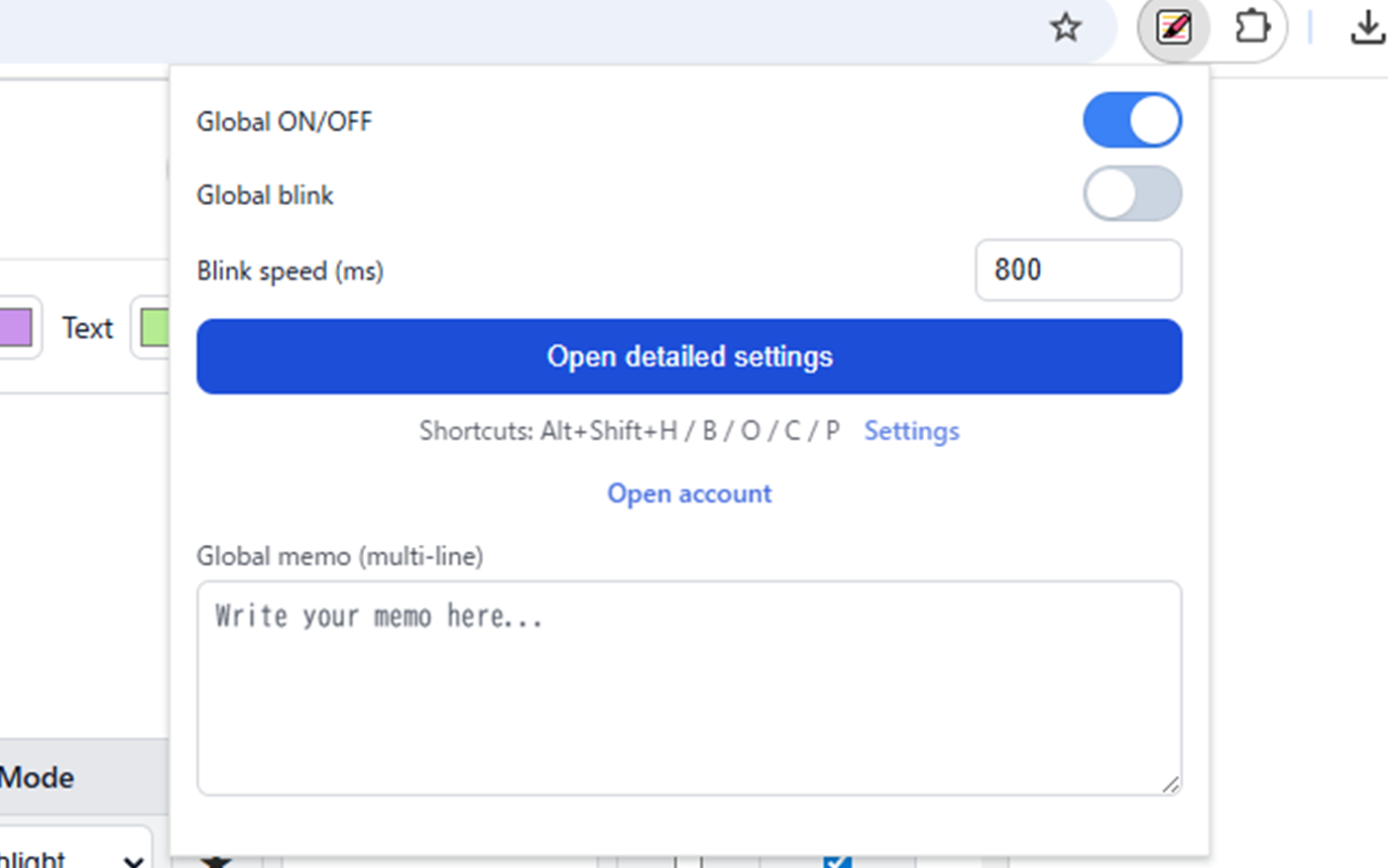
Hilightext is a Chrome extension that allows you to freely highlight, color-code, and replace text on web pages.
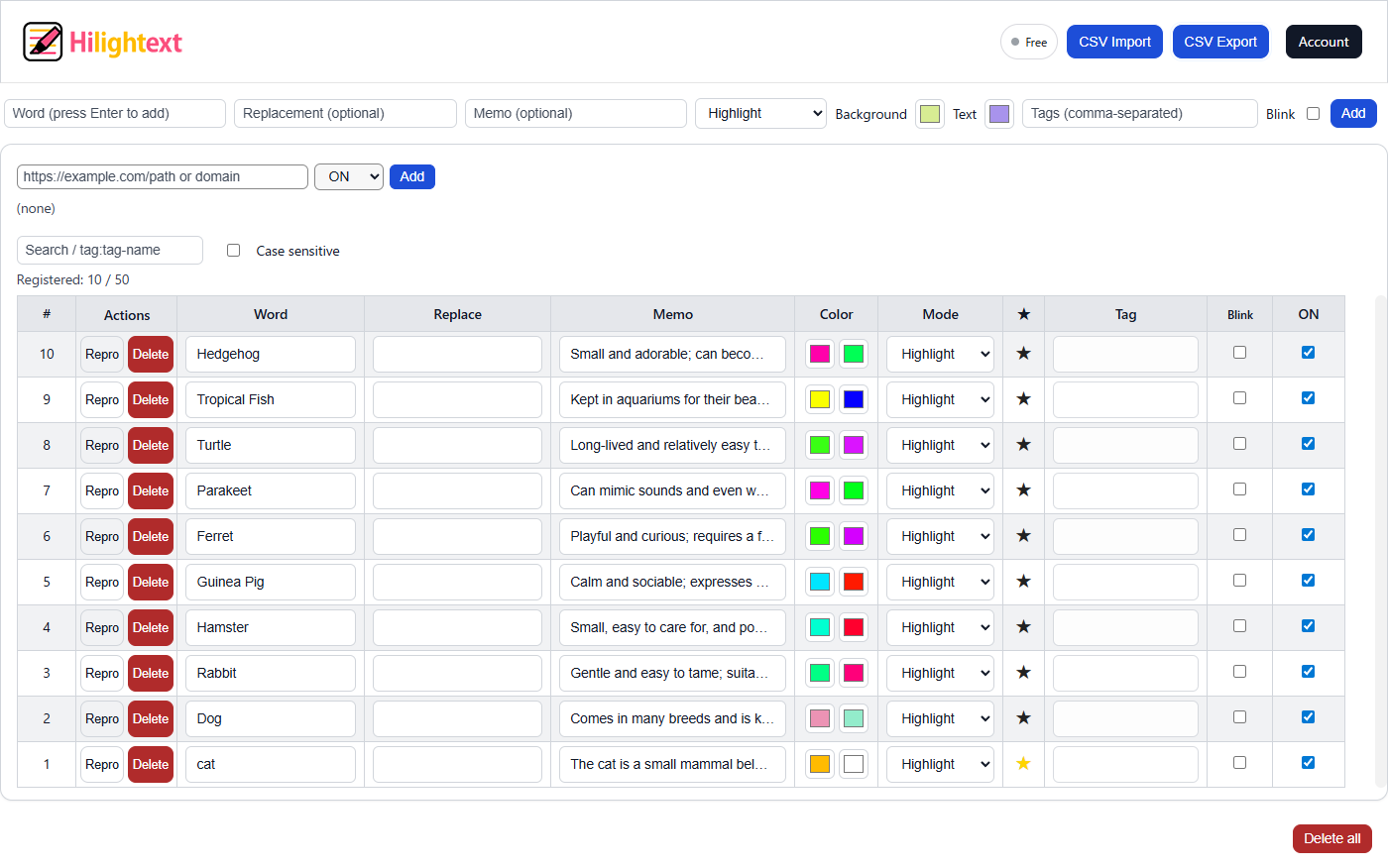
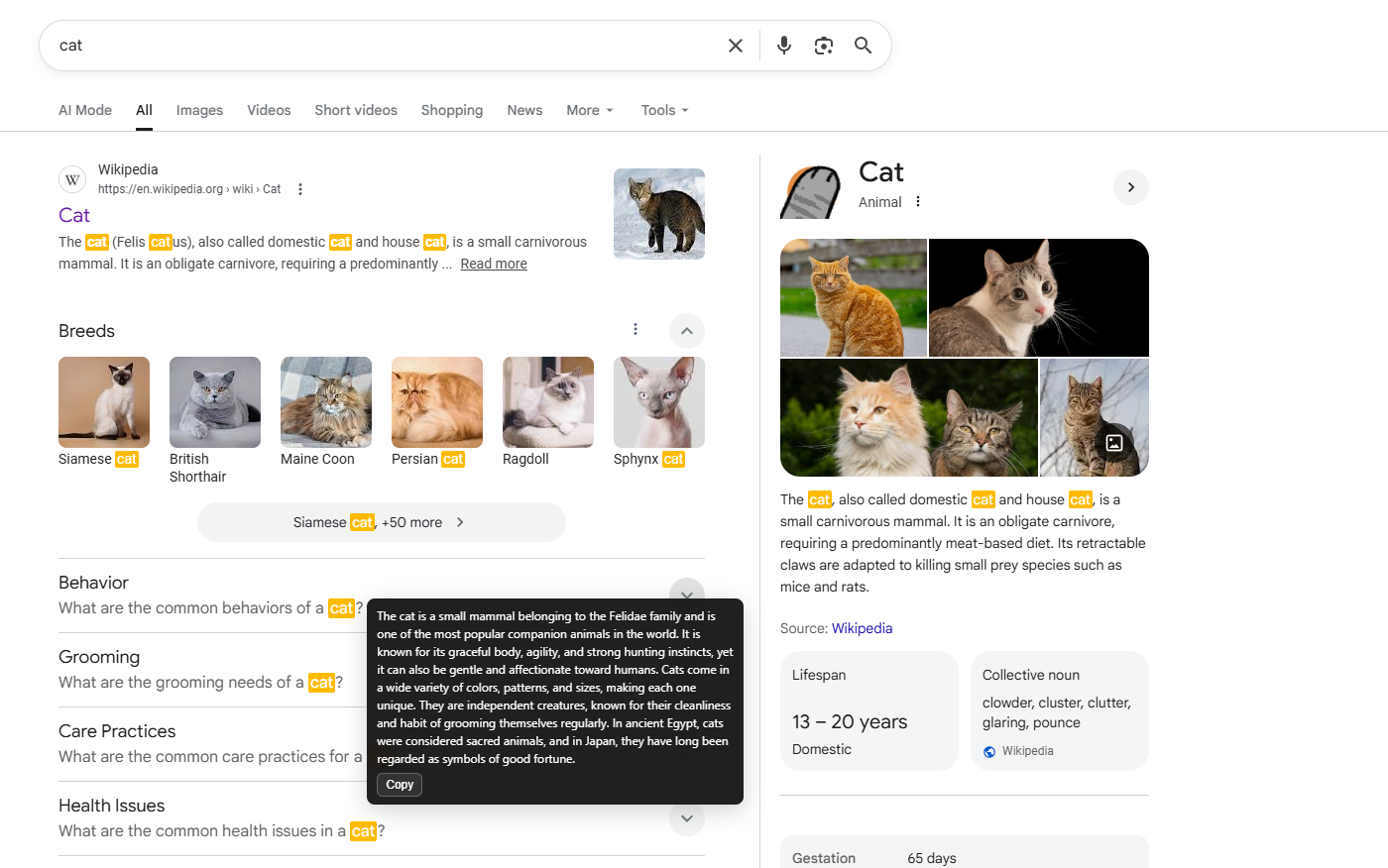
By automatically highlighting registered words and letting you add meanings or notes, it helps you organize information on the web more efficiently.
Key features include adding highlight words directly from the right-click menu, fully customizable text and marker colors, and a powerful text replacement function.
You can also make specific text blink to draw attention to important information.
The number of words you can register depends on your plan:
up to 50 words with the Free plan, up to 200 words with the Monthly plan, and up to 5,000 words with the Yearly plan.
Hilightext also supports tag-based organization, vocabulary list management, and CSV import/export, making it a powerful tool for efficient information gathering and research.
Thanks to its versatility, Hilightext can be used in many situations that require structured information management, including studying, academic research, stock analysis, and professional work.
Version
2026-03-14 Hilightext 1.0.8.1
Plans
Compare plans to choose what fits your workflow.
Core Features
The only differences between the Free plan and the Pro plan are the number of words you can register and the fact that CSV import/export is available only on the Pro plan. All other features can be used in both the Free and Pro plans.
Highlighting for registered words
A blinking effect for each registered word (by inverting the text color and highlight/marker color)
Add notes to registered words (URLs can also be included)
Replace registered words with other words (either visual-only replacement or actual replacement)
Freely choose text color and highlight/marker color for registered words
Mark registered words as favorites
Add tags to words (multiple tags can be registered by separating them with commas ",")
For each specified URL, keep the marker feature always ON or OFF
Case-sensitive matching (distinguish between uppercase and lowercase)
Global memo feature
Import/export registered words and other data via CSV (Pro plan only)
Plan
Free
Pro (Monthly)
Pro (Yearly)
Price
$0 USD
$3.98 USD / month
$39.80 USD / year (equivalent to $3.32 USD / month)
Word Limit
Up to 50 words
Up to 200 words
Up to 5000 words
Notes & Tags
○
○
○
Color Highlighting & Replace
○
○
○
CSV Import / Export
-
○
○
Support
Community Support
Priority Support
Priority Support
Special Benefits
-
-
Discounted price (best value)
* The blinking feature may affect users who are sensitive to flashing visuals. Please use it with caution.
* Prices are shown in USD. Taxes (if any) and currency conversion fees may apply depending on your location and payment method.
* For customers in Japan: Prices may be subject to Japanese Consumption Tax (JCT) at checkout.
FAQ
Q1.What kind of extension is Hilightext?+
Hilightext is a browser extension that allows you to efficiently highlight, organize, and save text on web pages.
You can color-code or make important parts blink while reading, and review them later in a list, which greatly improves the efficiency of research and learning.
You can also freely change text and marker colors. Above all, the ability to replace words is its greatest feature.
Q2.Which browsers can I use?+
Available on Google Chrome.
If you experience any issues, please contact our support team.
It should generally work on Chromium-based browsers such as Microsoft Edge and Brave, but since we are still testing, we cannot guarantee full compatibility at this time.
Q3.Is account registration required?+
The free version allows you to register and use up to 50 words without an account.
If you want to increase the number of highlights or use additional features, account registration for a paid plan is required.
Q4.What can I do with the paid plan?+
You can increase the limit of highlightable characters and import/export your listed word data via CSV.
Q5.Where is the data saved?+
Data is saved in local storage, so it is kept within your browser.
Paid plans allow you to import and export data via CSV.
Q6.Can other users see my highlights?+
No.
Hilightext prioritizes user privacy and does not send highlight content or browsing history to external parties without permission.
Q7.Is it difficult to use?+
Just select the text you want to highlight, right-click, and register it along with a note.
You can also intuitively set color changes and sorting from the options screen.
Q8.Which languages are supported?+
Currently, the interface is available only in English.
We plan to add support for more languages in the future, so thank you for your patience.
Even if the interface is in English, the highlighting feature may still work with other languages.
For now, please try using the English version.
Note: Some features may not work properly in non-English environments.
Q9.What should I do if I have bugs or questions?+
Please contact us via "Support" within the extension.
We will respond as quickly as possible.
Q10.Why isn't the word limit updated even though I upgraded to the Pro plan?+
In some cases, it may take a little time for the Pro plan to take effect. Additionally, if you have a large number of words registered, it may take longer to load and apply the updated limit.
Please try restarting your browser first and check again.
If the issue persists, we kindly ask that you contact our support team for further assistance.
Q11.Is security OK?+
Account registration uses a Google account, and payments are processed through Stripe. Therefore, our security standards are aligned with the security frameworks provided by each of these services.
Q12.When signing in with Google, you may see the URL "asia-northeast1-hilightext-2bc56.cloudfunctions.net." Is it safe?+
Yes, it is safe. This URL is part of Google's official infrastructure used for Google Account authentication.
"asia-northeast1" indicates that the server is located in the Tokyo region.
"hilightext-2bc56" is the Google Cloud project ID used by our service.
"cloudfunctions.net" is the official domain provided by Google for Cloud Functions.
All of these components operate within Google's secure environment, so you can use the service with confidence.
We are also planning to migrate to our official service domain in the future. Please continue to use our service with peace of mind.
Q13.What happens if my internet connection is lost?+
Even if your network connection (such as Wi-Fi) is disconnected,
your Google account login session will remain active for approximately 48 hours.
However, after 48 hours you will be automatically logged out once, and the available word limit will return to the Free plan level (50 words).
To restore your subscribed plan, please log in again using your Google account.
Q14.If I subscribe to the annual plan while still on the monthly plan, will it automatically switch?+
No. Currently, plans do not switch automatically.
If you would like to change from the monthly plan to the annual plan, you need to cancel your monthly subscription first and then subscribe to the annual plan.
At this time, if you subscribe to the annual plan while the monthly plan is still active, the monthly billing will continue and the annual plan will start as well.
To avoid being charged for both plans, please cancel your monthly plan before subscribing to the annual plan.
Please note that even after canceling the monthly plan, you can continue to use it until the end of the current billing period.
For this reason, we recommend canceling your monthly plan just before the next renewal date and then subscribing to the annual plan.
We plan to improve this system in a future update so that plan changes can be made more smoothly.
When the improvement is implemented, we will announce it on our official website.
Install Chrome Extension
Hilightext works as a Chrome extension. Installation is easy.
Legal Notice in Accordance with the Japanese Act on Specified Commercial Transactions
Seller
TOSHIFUMI KAGAWA
Responsible Person
TOSHIFUMI KAGAWA
Address
1-2-1 Chuo, Misato City, Saitama, Japan
Phone Number
+81-80-5475-4353 (International call charges may apply depending on your country of residence. Please contact us by email whenever possible.)
Email Address
support@hilightext.com
Sales URL
https://hilightext.com/
Pricing
Free Plan: $0 USD
Pro Plan (Monthly): $3.98 USD
Pro Plan (Yearly): $39.80 USD
* Prices are shown in USD. Taxes and currency conversion fees may apply depending on your location and payment method.
* For customers in Japan: Consumption tax (JCT) may be added at checkout or considered included depending on the billing status. Please check the final amount on the payment screen.
* If you wish to switch from the monthly plan to the yearly plan, please cancel your monthly plan first and then subscribe to the yearly plan.
If you subscribe to the yearly plan before canceling the monthly plan, you may be charged for both the monthly plan and the yearly plan.
Please note that even after canceling the monthly plan, you can continue using it until the next renewal date.
Additional Fees
Internet connection fees and communication charges must be borne by the customer.
Payment Method
It is processed by Stripe.
Payment Timing
Payment will be charged immediately upon subscription. Monthly and annual plans will renew automatically at the end of each billing cycle.
Delivery of Service
The Chrome extension will be available for use immediately after payment is completed.
Returns / Cancellations
Because this is a digital service, we do not provide refunds once a subscription period has begun, except where required by applicable law.
You may cancel at any time to stop automatic renewal; you will retain access until the end of the current paid term.
System Requirements
The latest version of the Google Chrome browser. Operation on other Chromium-based browsers (e.g., Microsoft Edge, Brave) is not guaranteed.
Cancel Subscription
You may cancel at any time via the Stripe Customer Portal or the dedicated cancellation page.
Cancellation stops auto-renewal for the next billing cycle. You will retain access until the end of the current paid term.
Privacy Policy
Hilightext (the "Extension") respects users' privacy. The Extension stores the settings you create (e.g., registered words, replacement text, highlight colors, tags, notes)
in your browser (local storage and/or Chrome Sync). The Extension does not transmit this in-Extension content to our servers.
Data We Store
Registered words and replacement text
Highlight styles (colors, blink on/off)
Tags, notes, per-site options
Use of Google Analytics
We use Google Analytics to analyze usage trends (e.g., feature usage frequency, page views) to improve the Extension and our website. Google Analytics uses cookies to collect anonymous usage data.
This data is processed by Google in accordance with their privacy policy. You can opt-out of Google Analytics by installing the Google Analytics Opt-out Browser Add-on.
How We Use Data
Data is used solely to provide and improve the single purpose of the Extension: highlighting, color-coding, replacing, and optionally blinking user-specified words on web pages.
Sharing
We do not sell, share, or transfer personal information or browsing history to third parties, except for the anonymous usage data collected by Google Analytics as described above.
Payments
Payments for the paid plan are securely processed through Stripe, and all payment information is handled and managed by Stripe's secure system.
Security
The Extension does not execute remote code. All scripts are packaged within the Extension.